
Collect and showcase WooCommerce customer reviews
Display authentic customer feedback where shoppers decide, with review carousels, video and photo reviews, grids and trust badges that match your brand.
 Video Carousel
 Floating Badge

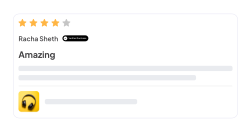
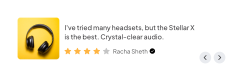


 Customer Reviews
Based on 4,150 reviews
3232
467
354
97
0
Customer Reviews
Based on 4,150 reviews
3232
467
354
97
0

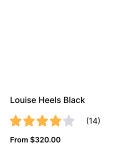 5.0
5.0

- Friendly, responsive staff.
- High-quality, reliable, durable products/services that meet or exceed expectations.
 Bryant Londono2026-09-22



 Jerome Bell2026-09-22

 Kristin Watson2026-09-22
Review submission form
Collect richer customer reviews
with flexible review forms
Custom forms with star ratings, multiple criteria, photos, videos, YouTube links, anonymous reviews and spam protection.
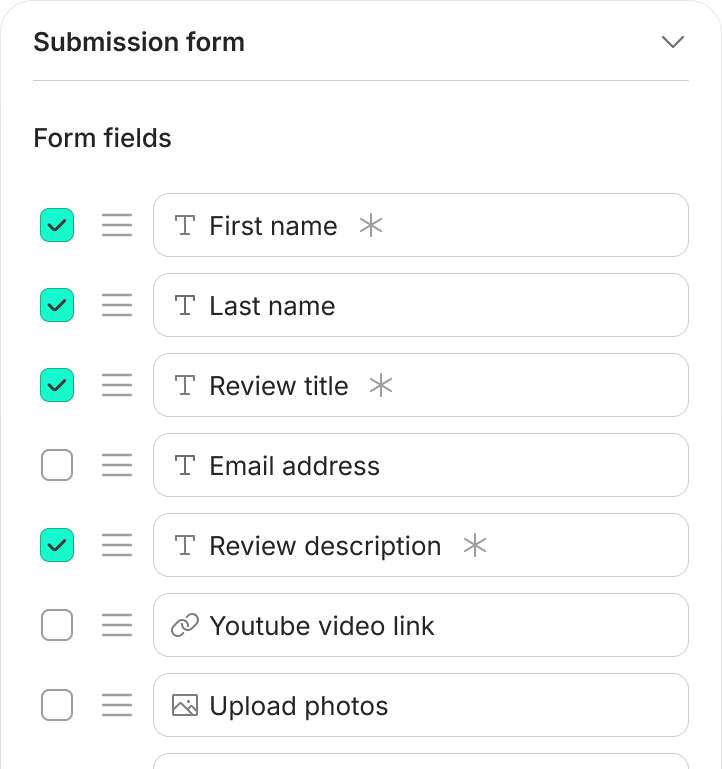

Customize Form Fields
Choose the fields that matter to your store. Enable, disable, require and rearrange them to collect more useful feedback.

Require Key Details
Make key fields mandatory so every review includes the information shoppers and your team need.

Spam & Bot Protection
Use Google reCAPTCHA and moderation controls to stop automated submissions before they reach your review workflow.

Photo & Video Reviews
Let customers add product photos, videos or YouTube links, so shoppers see products in real use.

Recommendations & Privacy
Ask whether customers would recommend a product and allow anonymous reviews, with clear privacy settings.
Review source integrations
Bring trusted review sources into your WooCommerce showcase
Connect review sources and choose which ones each widget shows, with all your customer feedback organized in one place.

Show Google reviews on your site.

Show Facebook reviews in widgets.

Trustpilot
Showcase your Trustpilot reviews.


G2
Bring G2 reviews into your showcase.

WordPress.org
Import WordPress.org reviews.

Capterra
Add Capterra reviews as proof.
Available integrations depend on your ReviewScribe version and connected accounts.
Showcase reviews & build instant trust
WooCommerce Review Carousel
Showcase your top reviews in a carousel
Put your most helpful reviews where shoppers see them, filtered, sorted and styled to build trust.











Flexible carousel navigation
Use auto-play, arrows, dots and your preferred slide direction, so visitors browse reviews at their own pace.

More reviews in less space
Show several customer reviews in one compact widget for product pages, homepages and landing pages.

Filter by rating and source
Sort by newest or highest rated, and choose whether cards show avatars, dates, titles, photos and verified badges.

Social proof, no interruptions
Place the carousel inside your page layout instead of covering content with a popup or overlay.
Floating Review Badge
Keep social proof visible with a floating badge
Keep a selected review or rating visible as shoppers browse, a trust signal on the pages that matter.

 David Watson2026-09-22

Target the pages that matter
Choose whether floating reviews appear on the homepage, product pages, service pages or other selected pages.

Position it to fit your store
Choose left or right placement and the slide direction that suits your layout.

Control it on mobile
Turn the floating badge on or off for mobile, so smaller screens stay clear and easy to use.

Proof available anytime
Shoppers open the badge whenever they want more context, with no timed popup or scrolling to a section.
Video Review Carousel
Show authentic video reviews that build trust
Let shoppers see real customer experiences in a carousel of approved video reviews.









Face-to-face customer stories
Video reviews add voice, expression and real-world context that written reviews can’t give on their own.

Uploads and YouTube links
Customers upload a video or add a YouTube link, and approved videos play in the carousel.

Room for the full experience
Video shows results, product use and customer journeys in detail, ideal for considered purchases.

Choose which videos play
Set how many videos appear and use rating, source and sorting controls to feature your best stories.
WooCommerce Review Grid
Showcase reviews in an organized gallery
Show review volume, customer photos, ratings and written feedback in a grid shoppers can browse.











Many reviews at once
A multi-column layout lets shoppers compare several reviews without waiting for a slider to advance.

Review volume, clearly
Present many reviews in one visible area, so shoppers see the breadth of your social proof.

Photo reviews beside the text
Customer photos sit beside each review, so shoppers see products in real use and trust what they read.

Browse at their own pace
Visitors scroll the gallery at their own speed, with no slides to wait for and no overlays to close.
Review Widget Controls
Customize review widgets with precise controls
Choose what each widget shows, how it looks and where it appears, with controls for review order, rating filters, sources, content, colors, fonts, buttons and embedding.

Sort & filter by rating
Show the newest, highest-rated or most relevant WooCommerce reviews in each widget.

One-click embed shortcode
Copy and paste the shortcode to place a configured widget on any product page, landing page or homepage.

Review content controls
Choose whether to show review titles, ratings, dates, avatars, verified labels, photos and videos.

Source selection per widget
Decide whether a widget shows WooCommerce reviews, imported reviews or connected external sources.

Visual & branding customization
Customize colors, fonts, headings, titles and buttons so every widget feels native to your store.
Early access offer: save up to 50% on all plans until December 30, 2026
Collect and showcase your reviews on autopilot
Automated review requests, moderation, photo and video reviews and WooCommerce review widgets in one workflow, shown where shoppers decide.Start with just
$49/year