

Picture two product pages selling the same mug. One has 40 reviews and a handful of customer photos. The other has none. Most shoppers pick the first one, even if it costs a little more. That’s what WooCommerce product reviews do for you: they answer “Will it fit?”, “Will it last?” and “Does it really look like that?” in your customers’ own words, long after the sale.
270%
A product with five reviews is 270% more likely to be bought than a product with no reviews.
Source: Spiegel Research Center, Northwestern University (2017)
The catch is that very few customers review on their own, even the ones who love what they bought. WooCommerce puts a review form on every product page, but it never asks anyone to fill it in. So getting more reviews comes down to three things: asking at the right time, making it easy, and showing people that their reviews get read. These nine ways cover all three.
1. Ask after customers have used the product
Timing matters more than wording. Ask too early and the parcel hasn’t even arrived. Ask too late and they’ve forgotten what they bought.
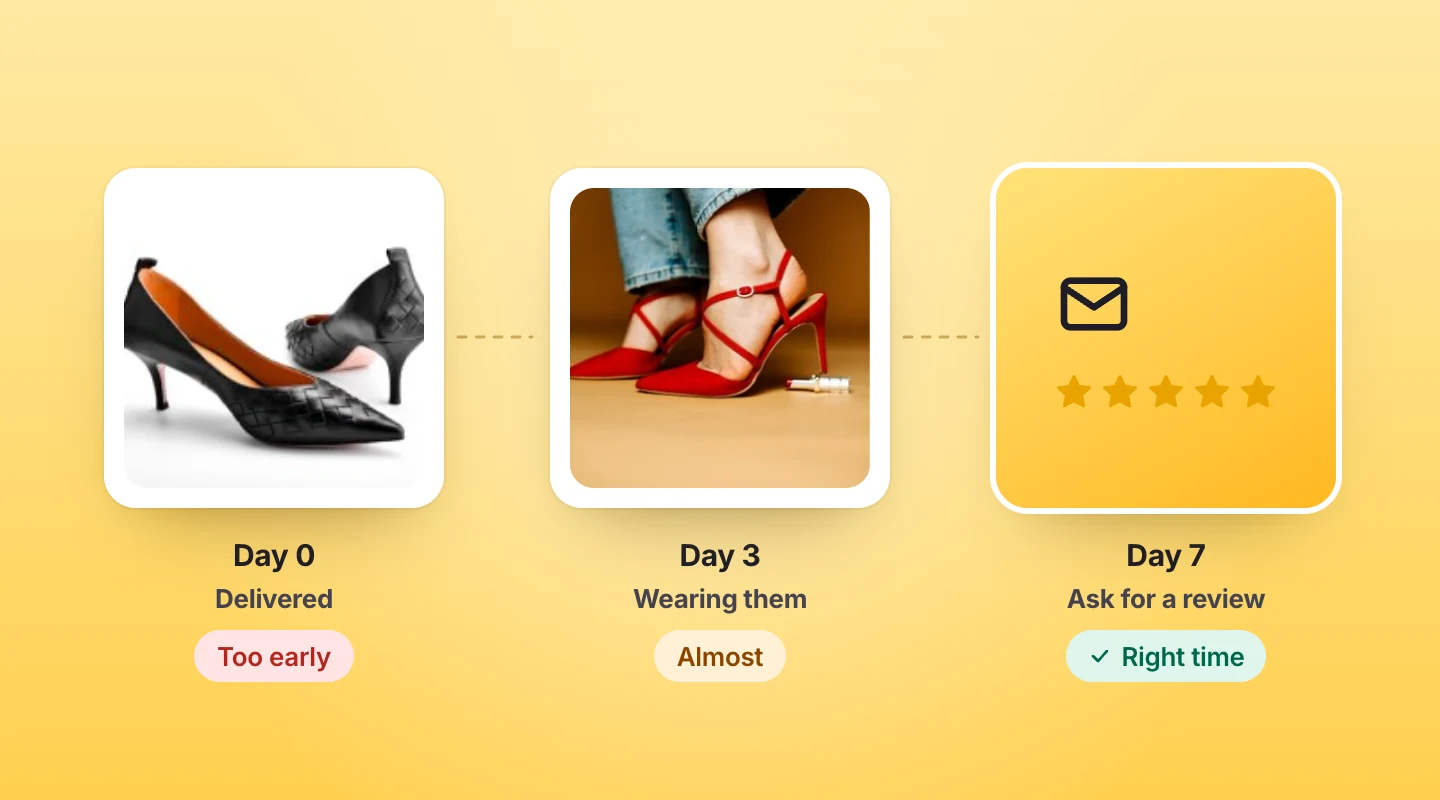
Start with about a week
About a week after the order is marked completed is a good default. Then adjust it to the product. Anyone can judge a T-shirt within a few days, but nobody can tell you whether a face serum works after three.
When to ask, by product type
| Product type | When to ask | Why |
|---|---|---|
| Clothing and shoes | 3–5 days after delivery | Fit and comfort are clear after a few wears |
| Electronics and gadgets | About 7 days | Time to set it up and use it every day |
| Home and furniture | 7–14 days | Assembly and everyday use come first |
| Skincare and supplements | 14 days or more | Results take a couple of weeks to show |
| Food and drink | 3–5 days | Most of it gets used up quickly |
2. Automate your WooCommerce review request emails
Asking by hand works for your first ten orders. It doesn’t work for your first thousand. With automated review collection, a review request email goes out after every order, even in the week you’re buried in support tickets, so no customer gets skipped.
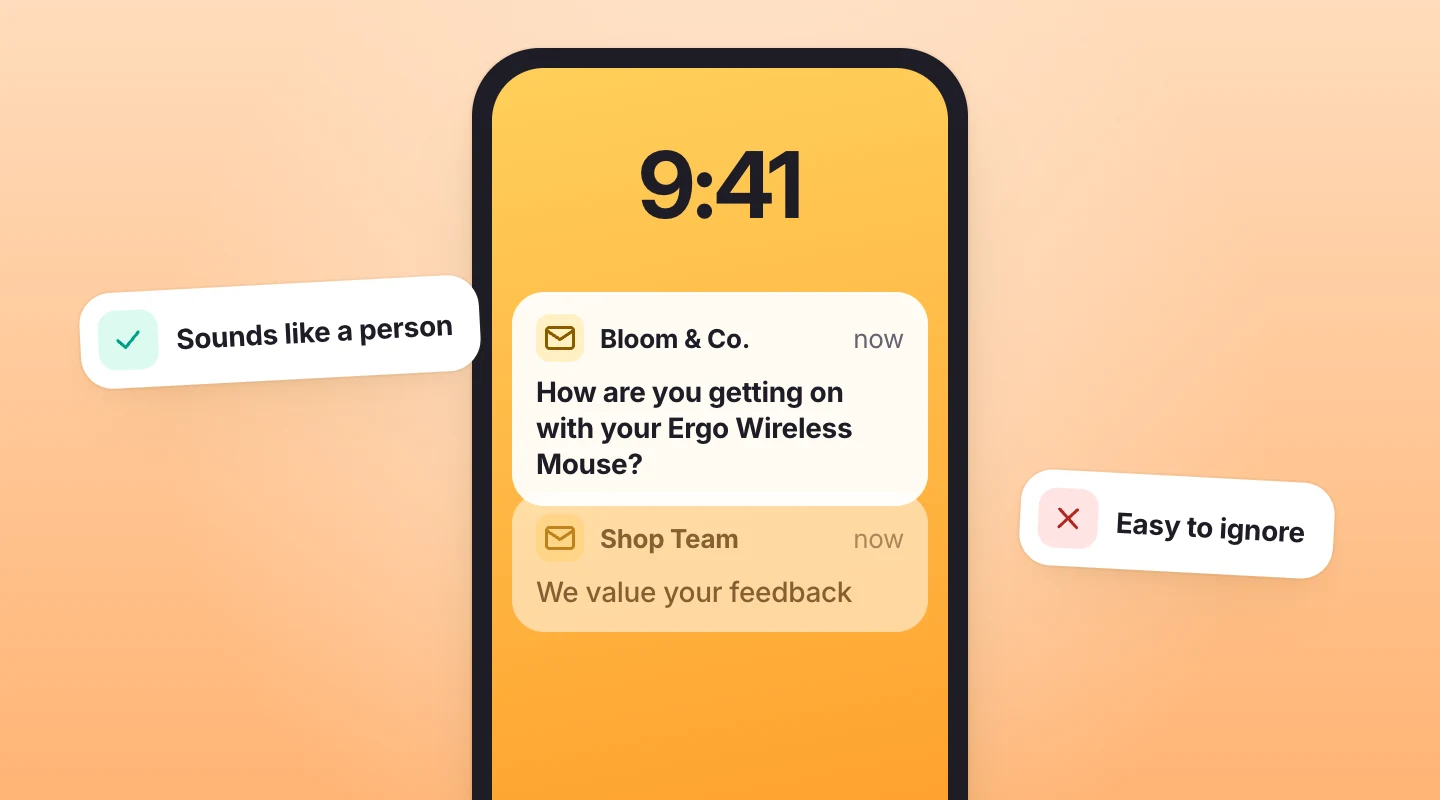
Write it like a person
Keep the email short and personal: the customer’s first name, the product they bought, one question and one button. And write the subject line the way a person would.
Subject lines that sound like a person
- How are you getting on with your Ergo Wireless Mouse?
- Sarah, how’s the fit on your new running shoes?
- Got a minute? Tell us what you think of your candle
- A quick question about your order #4721
Skip “We value your feedback”. It reads like every other automated email, and it’s easy to ignore.
Setting it up in ReviewScribe
- Choose the order status that starts the timer, such as Completed, and how many days to wait.
- Use smart send timing to set a different wait for each product category, for example 14 days for skincare and 7 for electronics.
- Add your logo and banner, then edit the subject, text and button. Placeholders like
{{customerName}}fill in each customer’s details. - Turn on quiet hours, so emails only go out during the hours you choose.
Automated review requests come with every paid plan. See how they work.
3. Send one or two review reminder emails
Plenty of people open the first email, think “I’ll do that later” and never come back. A friendly reminder a few days later catches a lot of them.
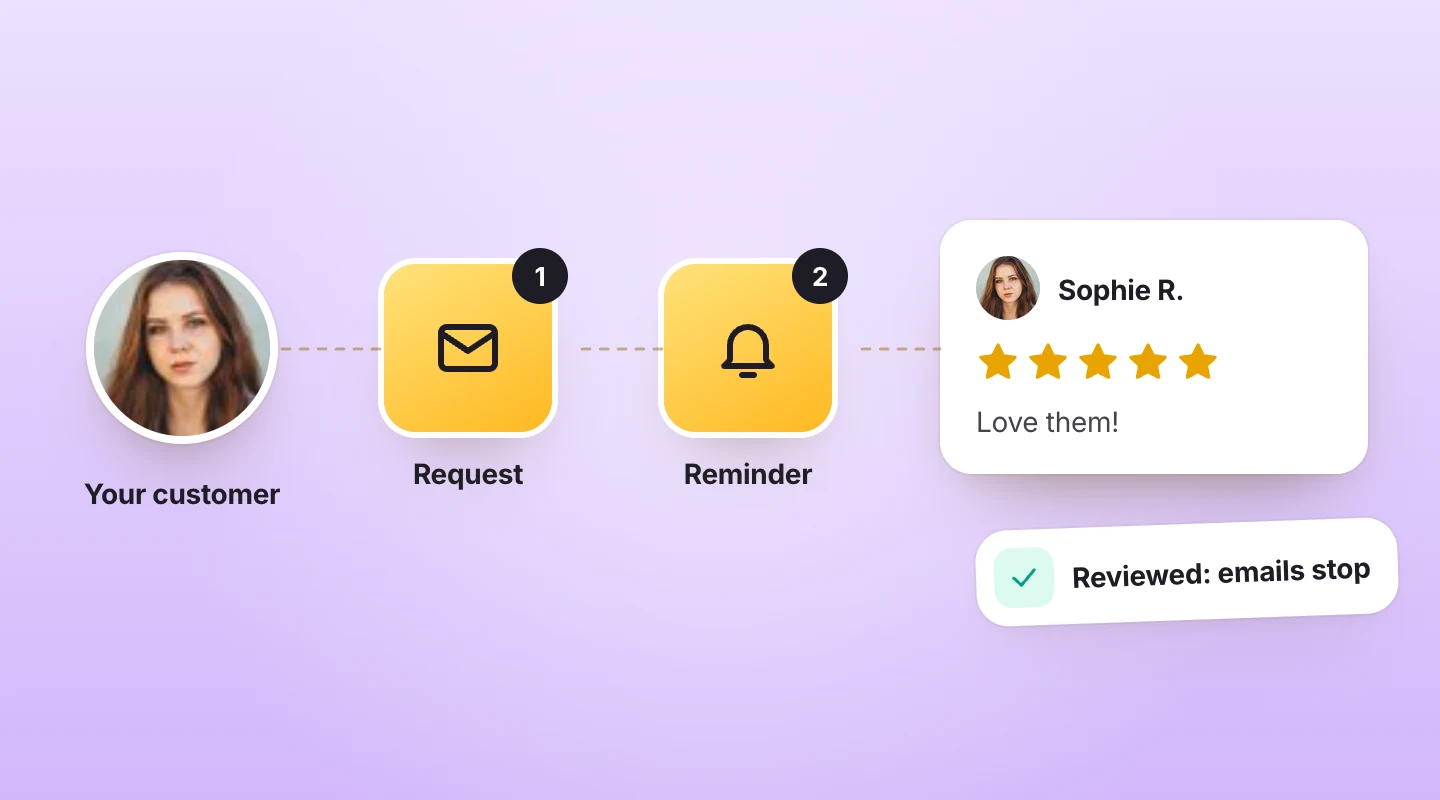
Know when to stop
Two WooCommerce follow-up emails are plenty. Any more and it starts to feel like nagging. Stop as soon as the customer leaves a review, and never chase someone whose order was refunded or cancelled. If you can, match the reminder to what the customer did: someone who opened the email but didn’t click needs a different nudge from someone who never opened it.
In ReviewScribe
Smart follow-ups do this for you. They’re timed by what the customer did (didn’t open, opened but didn’t click, or clicked but didn’t review), and they stop once a review comes in or the order is refunded or cancelled.
4. Turn the email into a one-click review request
Every extra click loses people. The easiest start is a row of stars right inside the email. The customer taps a rating and lands on the review form with it already filled in. Tapping a star takes a second, and once they’ve started, adding a sentence or two feels like a small step.
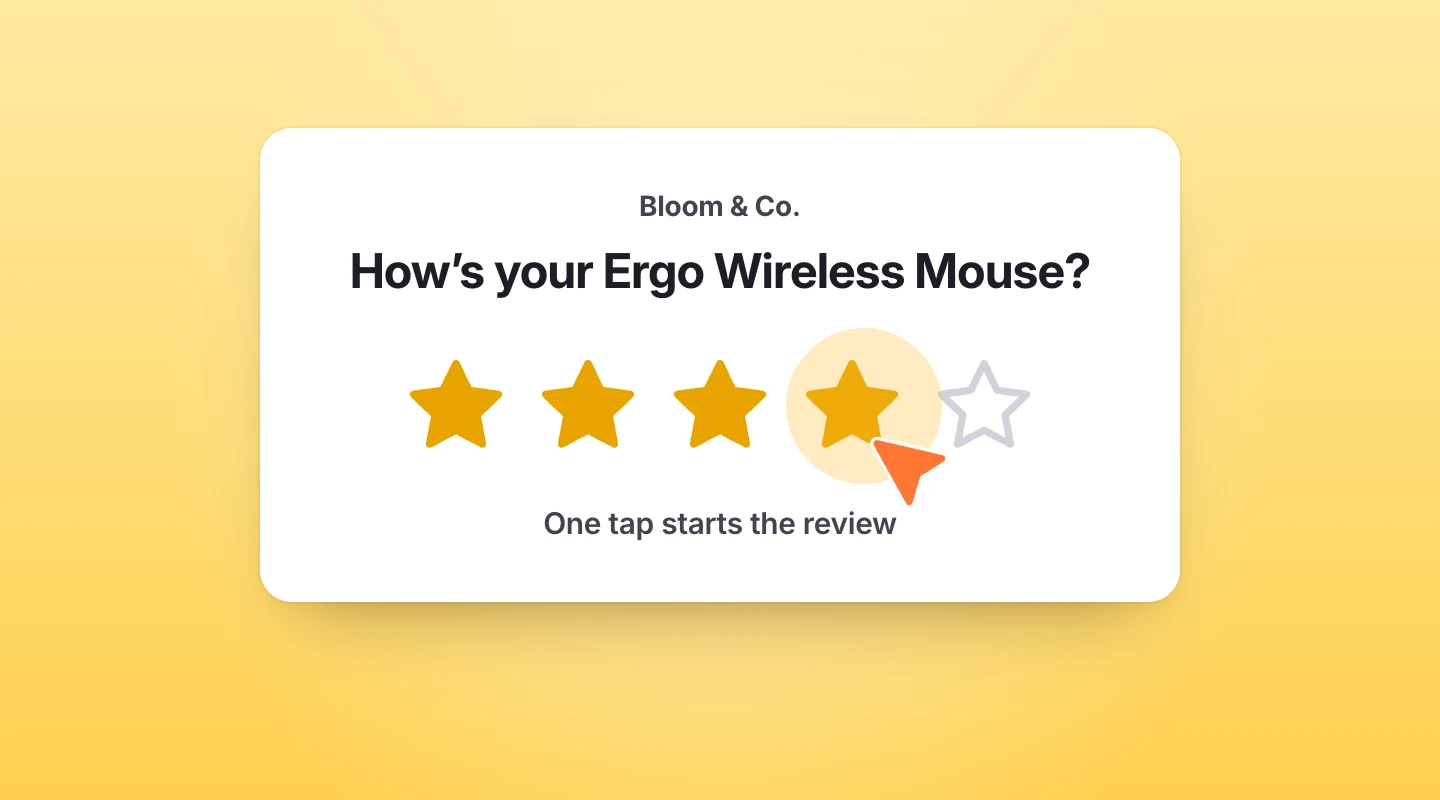
Link straight to the product
Send them straight to the product they bought, with the form open. Nobody should have to search your store for the thing they’re reviewing. ReviewScribe’s review emails include this star rating, so the review starts right in the inbox.
Put review requests on autopilot
ReviewScribe emails every WooCommerce customer at the right time, follows up for you and stops once they’ve reviewed. Start free, and upgrade when you want the emails.
5. Keep the review form short
A star rating, a short title and a few lines of text are enough. Only ask for what you’ll actually show or use. Extras like “Would you recommend this product?” or separate ratings for quality, value and delivery are useful, but keep them optional so they never stop someone from finishing.
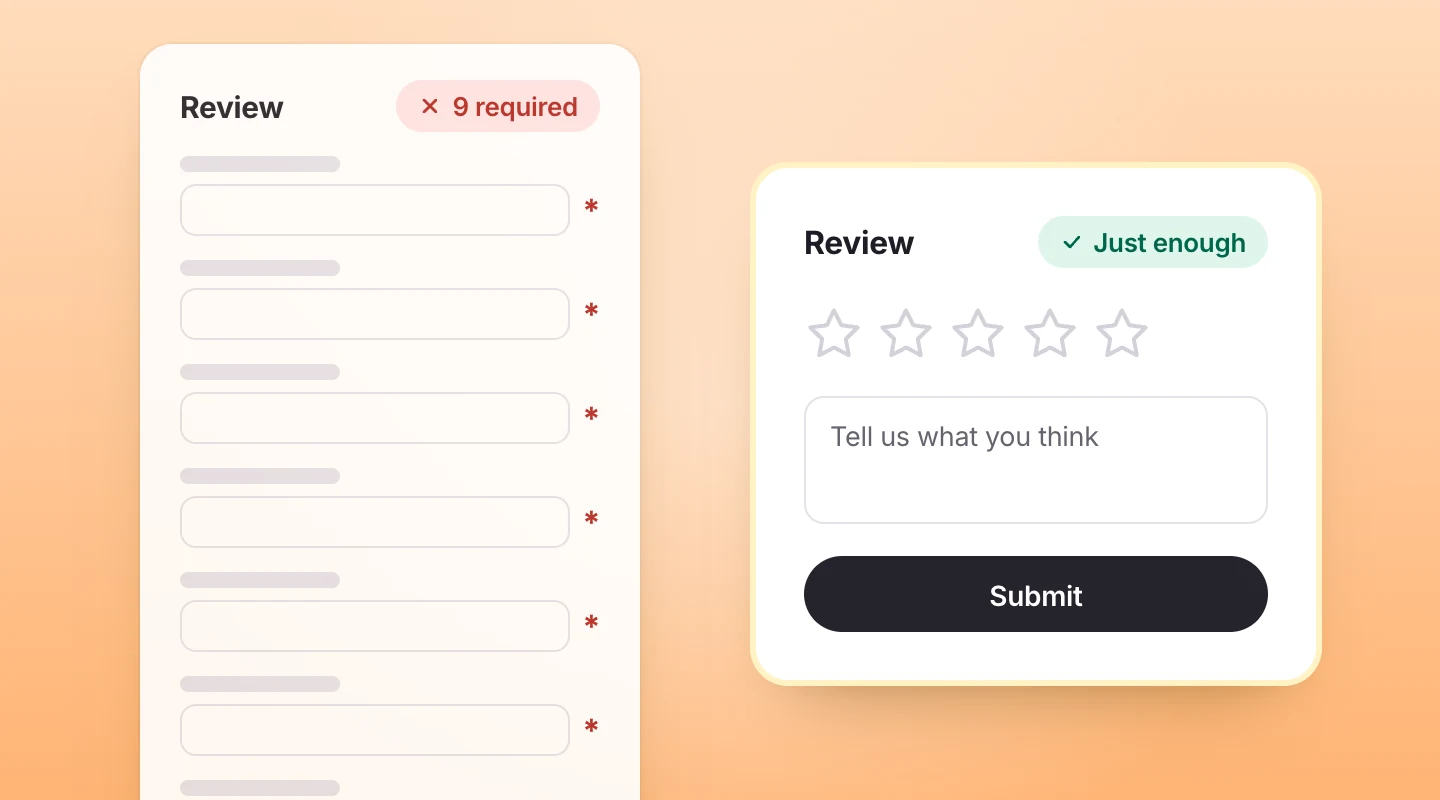
Make it look like your store
Make the form look like your store, too. A branded form feels trustworthy, while a plain, unstyled one can look like spam. Branded review forms are free in ReviewScribe, and you can put one on any page with a shortcode. reCAPTCHA, which keeps spam bots out, is free too. Paid plans add multi-criteria ratings and the “Would you recommend?” question.
6. Ask for photo and video reviews
A photo of your product on a real person, in a real kitchen or next to a real sofa answers questions your description can’t. Mention it in your request (“Got a photo? We’d love to see it”) and make uploading easy from a phone, because that’s where the photos are.

60%
of shoppers always look for customer photos and videos before they buy, up from 50% in 2021.
Source: PowerReviews survey of nearly 16,000 US shoppers (2024)
Why photos and videos matter
WooCommerce photo reviews and video reviews are worth more than their count suggests. Shoppers go looking for them, and one clear photo can settle a question about size or colour for everyone who comes after. On ReviewScribe’s paid plans, customers can upload photos and short videos or add a YouTube link, and every customer photo shows up in a gallery above the reviews.
7. Ask in your customer’s language
If you sell abroad, an English-only email is easy to skip for customers who don’t read English comfortably. Asking in their own language shows you care, and it gets more replies. ReviewScribe works out each customer’s language from their billing country, browser or locale, and falls back to your default language when there’s no match.
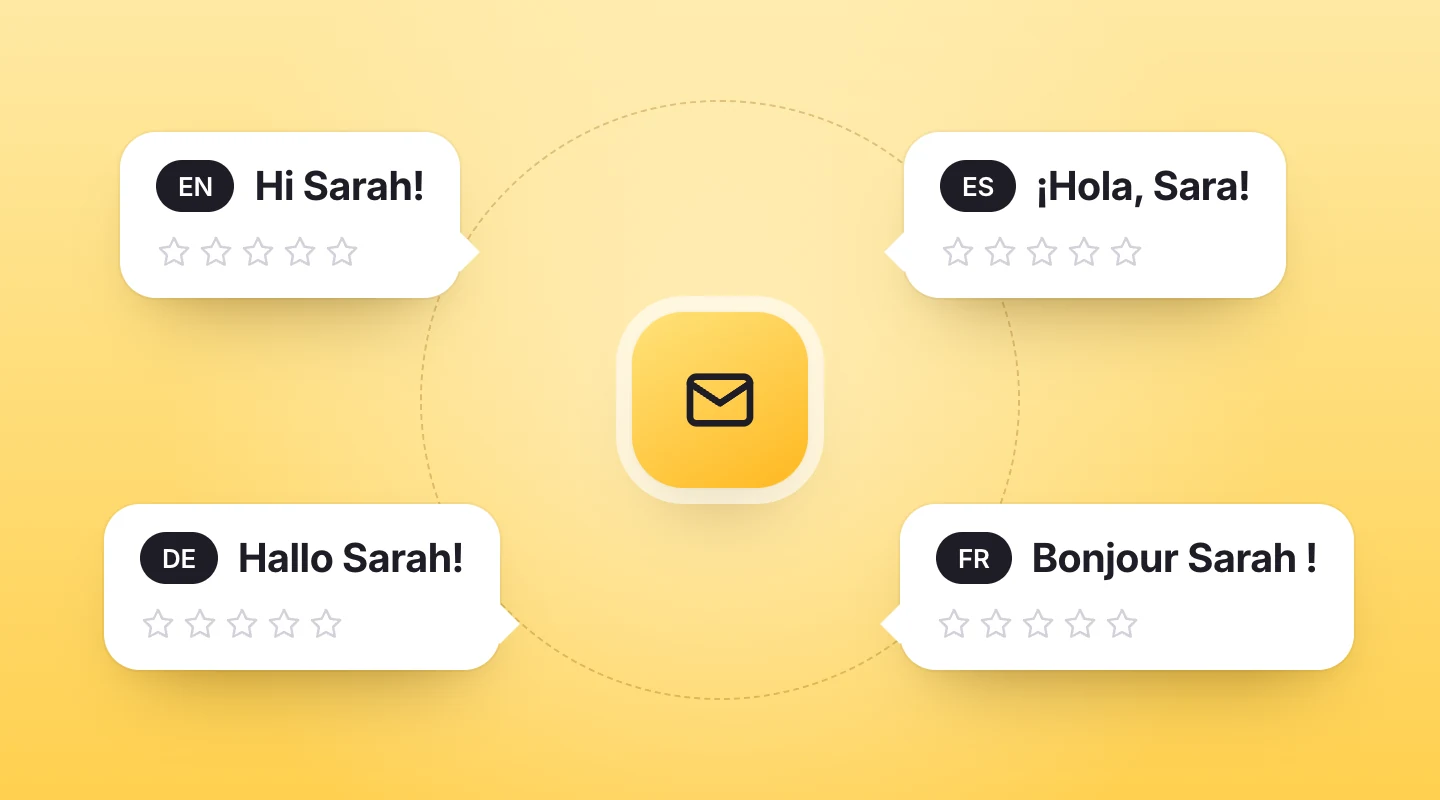
8. Use your reviews as social proof
Show reviews where shoppers decide
Almost everyone looks. In PowerReviews’ 2023 survey of 8,153 US shoppers, 99.75% said they read reviews at least sometimes, and 91% read them always or regularly. And reviews attract more reviews: when shoppers can see that other customers’ opinions are front and centre, they’re more willing to add their own. Put the average rating near the price, add a clear “Write a review” button, and mark reviews from real buyers with a verified purchase badge, so shoppers know the person actually bought the product.
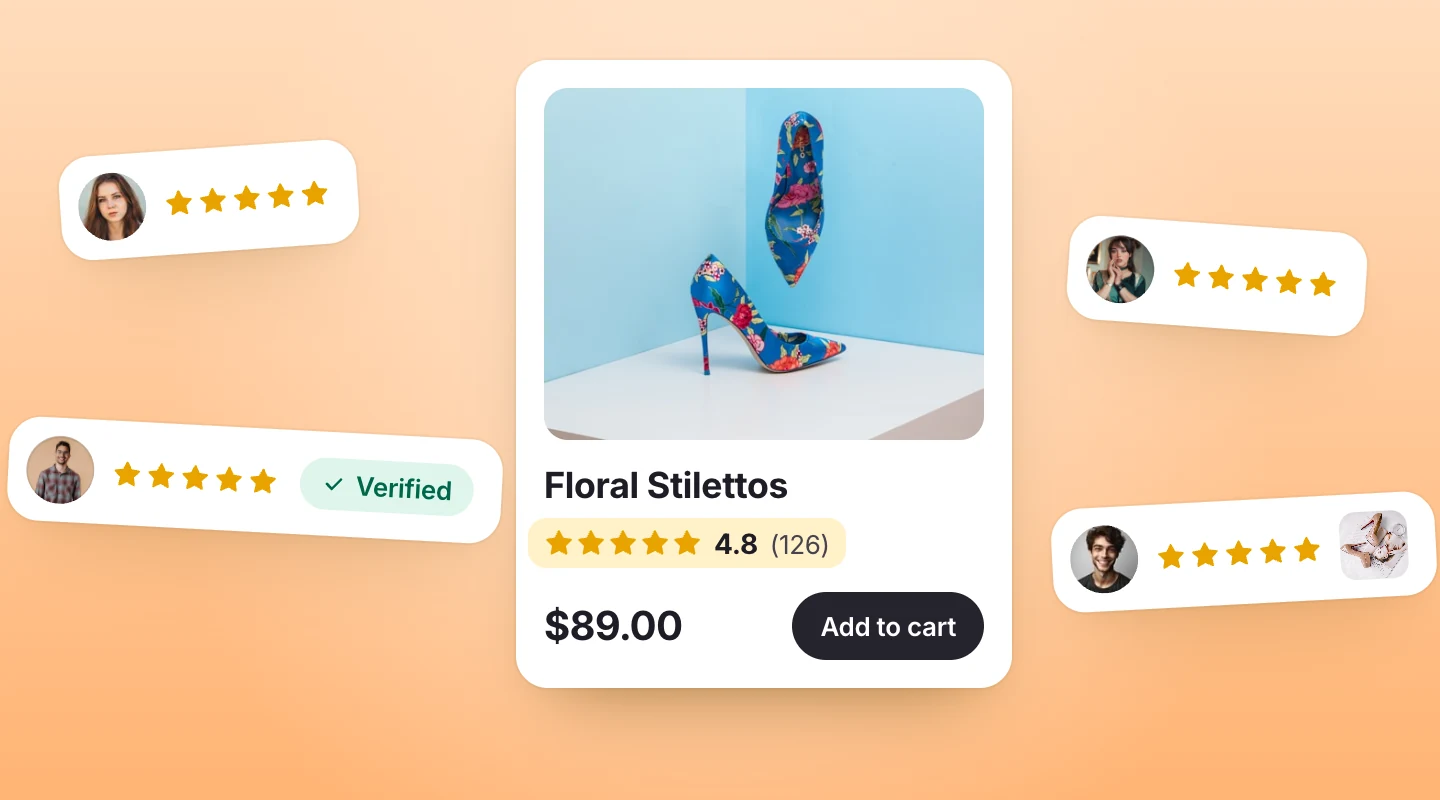
Take reviews beyond the product page
Then take your reviews beyond the product page. WooCommerce social proof works anywhere shoppers are still deciding: a review carousel on your homepage, a floating review badge on your landing pages, or a grid of photo reviews on a collection page. ReviewScribe’s four WooCommerce review widgets (review carousel, video carousel, floating review badge and review grid) are free, and each one works with a shortcode in any page, post or page builder. See the widgets.
Get stars in Google results
Reviews can help in search, too. On paid plans, ReviewScribe adds review markup (Google review schema) to your product pages, so they can qualify for star ratings in Google results.
9. Reply to reviews, especially the bad ones
A short reply shows that someone actually reads what customers write. Thank people for good reviews. Answer critical ones calmly, and say what you’ll do about the problem. A bad review handled well can build more trust than a page of perfect five-star ratings.
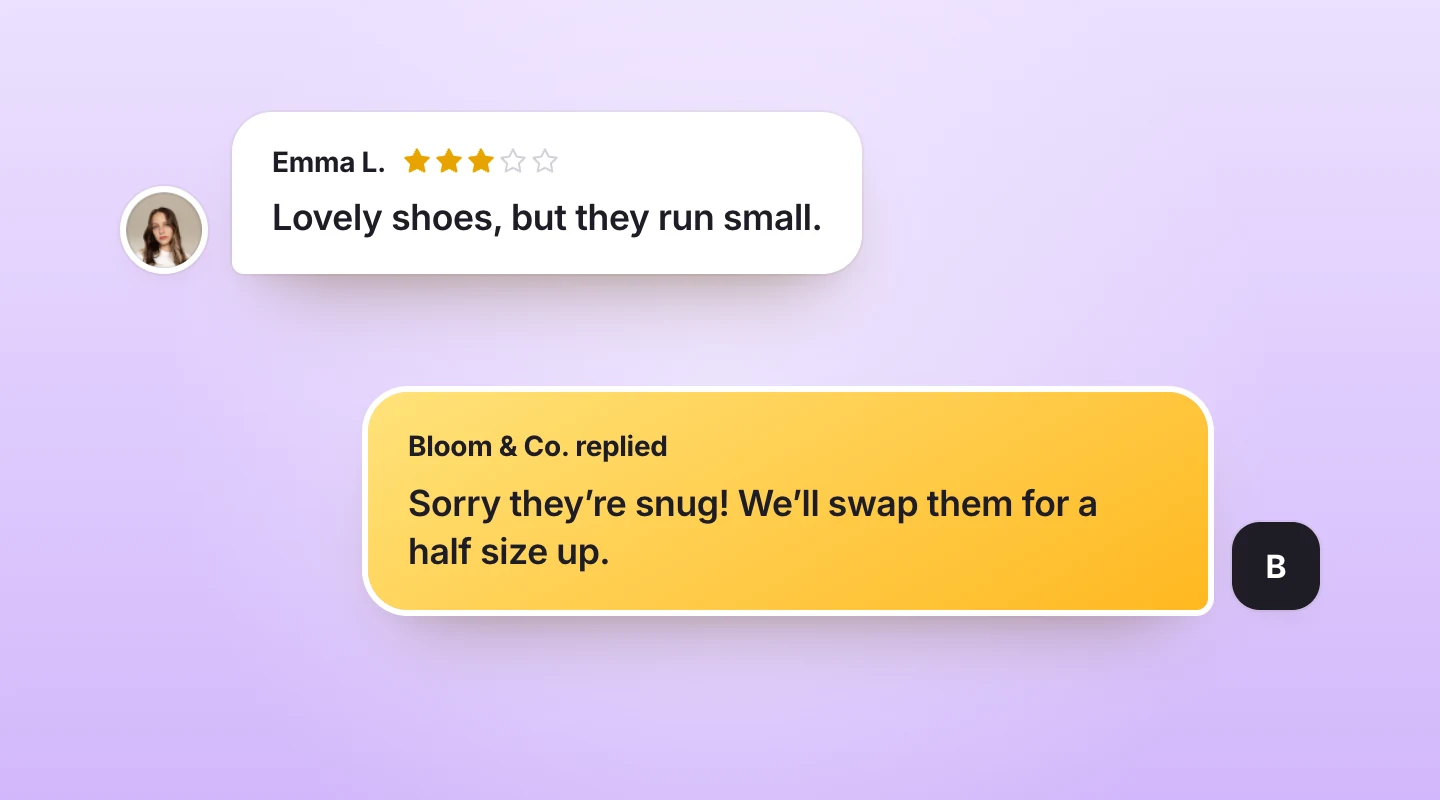
Learn from critical reviews
Critical reviews are also free product research. If three customers say a shoe runs small, fix the size guide and the complaints stop.
What to avoid
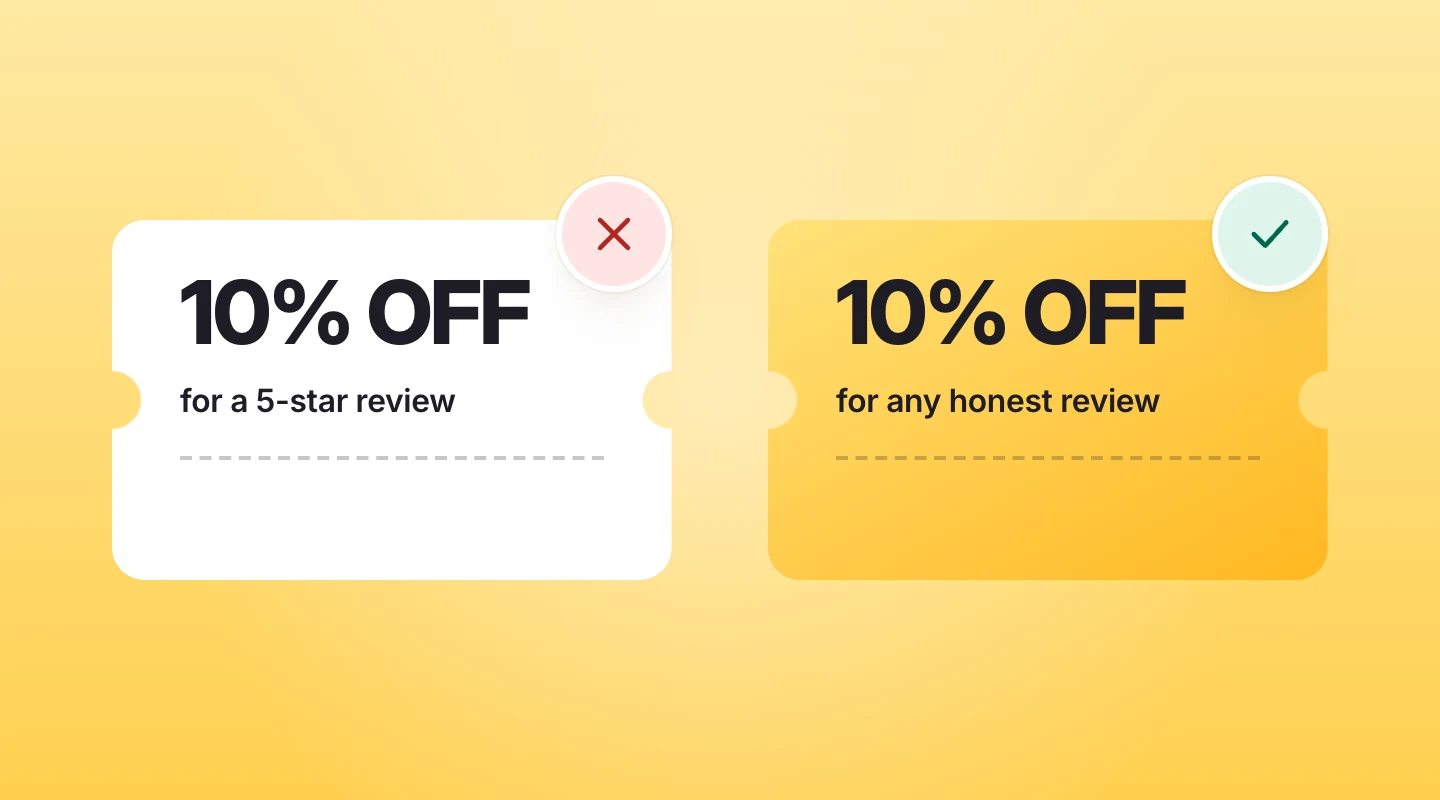
- Fake or bought reviews. They break consumer protection laws in many countries, including the FTC’s rule on fake reviews in the US, and shoppers can often tell.
- Asking only happy customers. Sending requests only to people you expect to be pleased paints a rosier picture than the truth, and that misleads shoppers too.
- Rewards for positive reviews. If you thank customers with a discount, give it for any honest review, never only for good ones, and check the rules where you sell.
- Hiding critical reviews. Moderate to remove spam and abuse, not honest criticism.
Measure your review funnel
Once requests go out on their own, keep an eye on four numbers: how many emails were sent, opened and clicked, and how many turned into reviews. That’s your review funnel. A low open rate points to the subject line or the timing. Lots of clicks but few reviews points to a form that’s too long or confusing. Change one thing at a time, and give it a few weeks before you judge it.
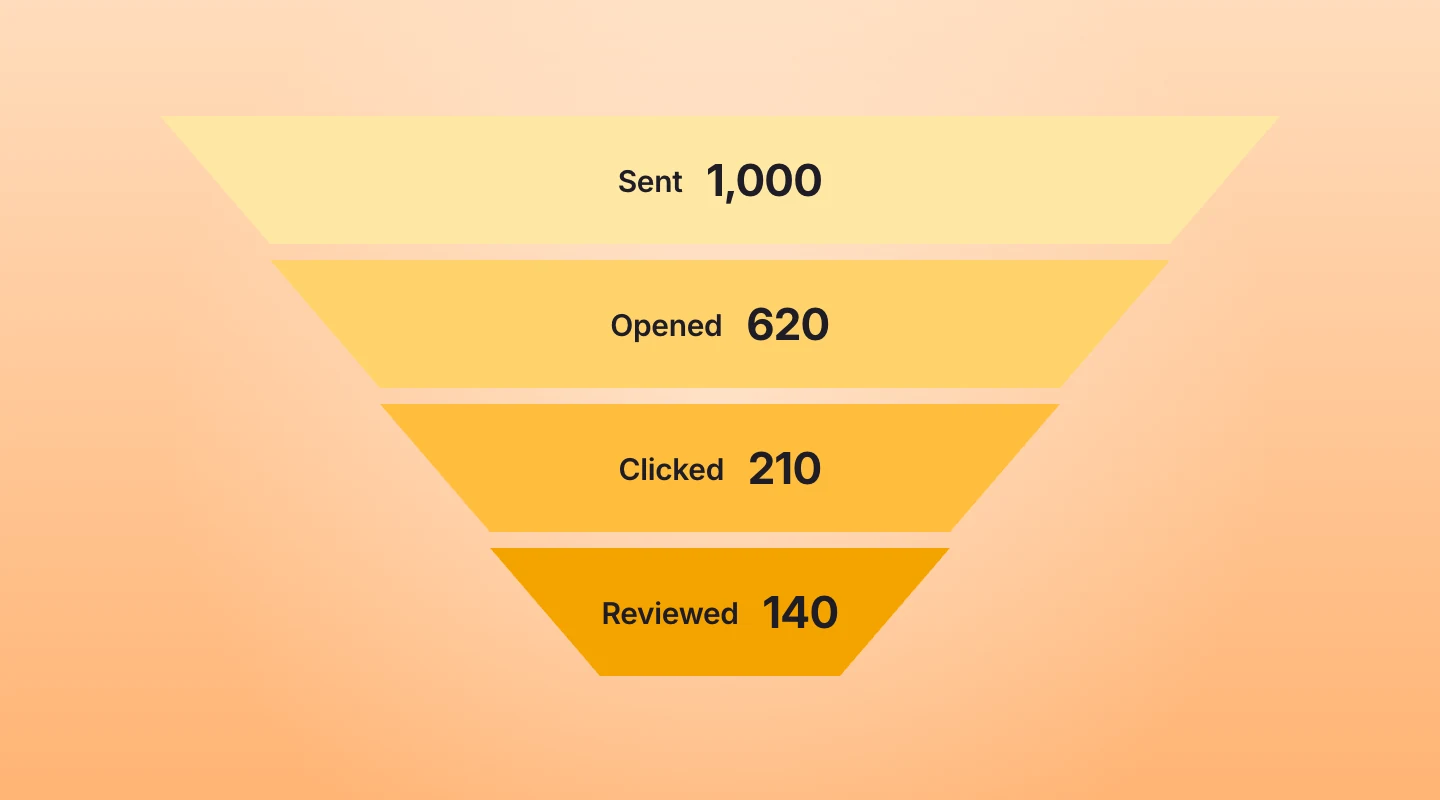
On ReviewScribe’s paid plans, email analytics and the review collection funnel show every step. Every plan tracks your review trends, average rating and the split of positive and negative reviews over time. See the review analytics.
Your checklist
- Wait until customers have used the product, and set the delay by product type.
- Send review request emails automatically after every order.
- Send two reminders at most, and stop once someone reviews.
- Put a star rating in the email, so the first step is one tap.
- Keep the form short, and make it look like your store.
- Ask for photos and videos.
- Write to customers in their own language.
- Show reviews on the product page and beyond, with verified badges.
- Reply to reviews, the good ones and the bad ones.
- Check your review funnel every few weeks.
Frequently asked questions
How do I get more WooCommerce product reviews?
Ask every customer automatically, about a week after their order is completed (longer for products that take time to judge). Make the first step a star rating in the email, send one or two reminders, and show the reviews you already have on your product pages.
Does WooCommerce send review request emails on its own?
No. WooCommerce adds a review form to product pages and can label reviews from verified owners, but it doesn’t email customers to ask for a review. For that you need a WooCommerce review plugin, such as ReviewScribe, that sends review requests and follow-ups for you.
When is the best time to send a review request?
A week after the order is marked completed is a good default. Make it shorter for products people judge quickly, like clothing, and longer for products that take time to show results, like skincare.
How many review reminder emails should I send?
One or two. Stop as soon as the customer leaves a review, and don’t send reminders for refunded or cancelled orders.
Can I offer a discount in exchange for a review?
You can thank customers for any honest review, but never only for positive ones. In the US, the FTC’s rule on consumer reviews bans rewards that depend on what the review says, and many other countries have similar rules, so check where you sell.
Early bird: up to 50% off your first year, until December 31, 2026
Start collecting more reviews today
Install the free plugin from WordPress.org, or pick a paid plan to put review emails, follow-ups and AI summaries on autopilot.
Paid plans from
$49/year
Leave a Reply