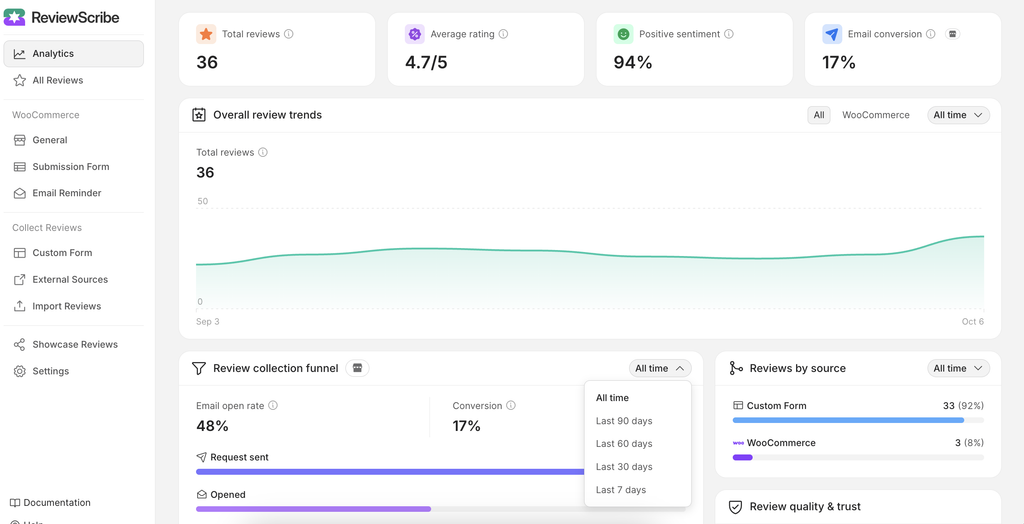
The Dashboard Analytics section allows you to monitor your review collection performance and analyze your customer review funnel.
Filter Review Collection Data #
To filter your review collection data:
- Go to WordPress Dashboard → ReviewScribe.
- Open the Analytics or Dashboard Analytics section.
- Locate the Review Collection analytics panel.
- Use the available filters to select the data you want to analyze.
- Select the required date range.
- Apply any available collection or funnel filters.
- Review the updated analytics results.
The dashboard will update the displayed data based on your selected filters.